Your VPS.
Understood.
A Docker deployment doctor, right in your Mac’s menu bar.
Find likely bottlenecks. See the evidence. Know what to check next.
v0.1.0 · macOS 15+ · Apple silicon & Intel
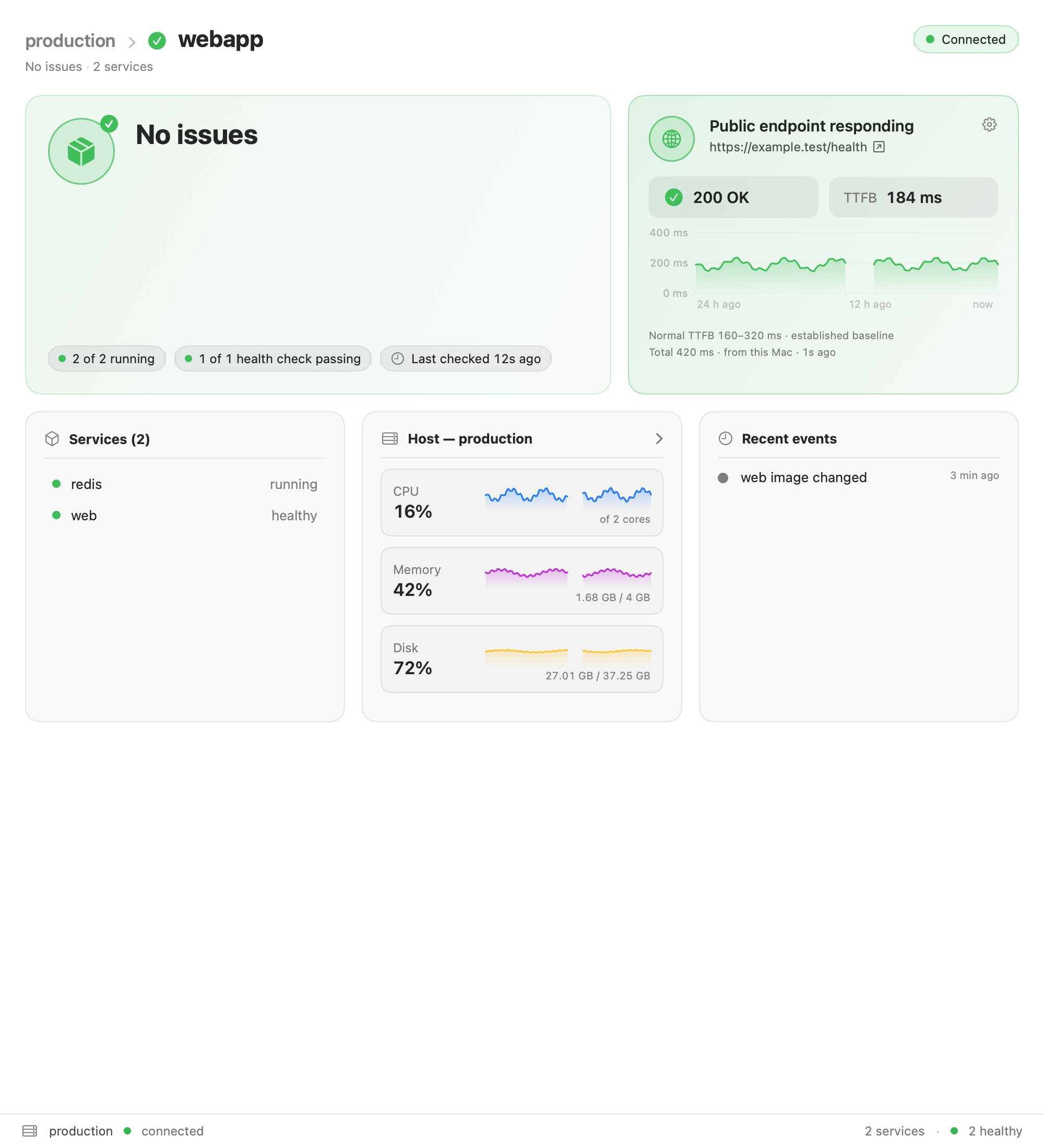
A clear view of your deployment. Quiet when there’s nothing to flag.
Actual app · example data“Something’s slow”
is a starting point.
You’ve got a VPS, a Compose file, and an app to ship. When something feels off, you shouldn’t have to build a monitoring stack to find a place to look.
Docktor reads your Docker and Linux runtime signals over SSH, groups your containers into deployments, and turns the evidence into a clear diagnosis.
Explore the features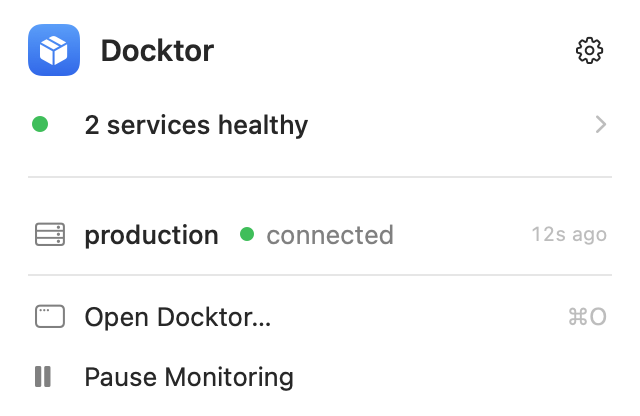 Actual app · example data
Less guesswork.
More ground truth.
A diagnosis is only useful if you can see
how it got there.
The deployment,
not just the container.
Compose services belong together. Docktor groups them into deployments, so you can investigate your app in context.
Findings with receipts.
Inspect the supporting evidence, confidence, competing explanations, and recommended next checks. Core diagnoses use deterministic rules.
Inside and outside.
Add an optional public endpoint to compare Docker health with HTTP responses measured from your Mac. A running container is only part of the picture.
Your server.
Your SSH. Your data.
No agent to install or cloud account to create. Remote commands are read-only and inspectable. Collected data stays locally on your Mac.
You already have
the hard part set up.
If you can SSH into your Docker host,
you’re ready to get started.
- 1
Open Docktor.
A native Mac app. Install it, launch it, and find it in your menu bar.
- 2
Pick your SSH hosts.
Docktor reads your existing
~/.ssh/config. Your keys, SSH agent, and jump hosts work as usual. - 3
Choose your deployments.
Docktor discovers your Compose projects. Choose what to monitor and let the evidence build.
A few things
you might be wondering.
What do I need to run Docktor?
A Mac running macOS 15 or later and SSH access to a Linux host running Docker. Your SSH user needs permission to read Docker data. Docktor supports both Apple silicon and Intel Macs.
Does it install anything on my server?
No. Docktor runs a documented set of read-only commands over your existing SSH connection, without sudo. Optional Celery inspection runs a fixed, viewable program inside a container, only after you enable it for that deployment.
Does my server data go to a cloud service?
No. Docktor has no cloud backend or account. Hostnames, collected metrics, and history stay on your Mac. Optional endpoint checks are sent directly from your Mac to the URL you configure.
Is this an AI diagnosis?
Core diagnosis uses deterministic rules over collected evidence. Each finding explains its confidence and the signals behind it. Docktor distinguishes observed facts from likely explanations.
Will it monitor while my Mac is asleep?
No. Collection runs while your Mac is awake and Docktor is running. Sleep gaps are shown as gaps in history. Docktor is a local investigation tool; use an external uptime service if you need around-the-clock checks and paging.
What kinds of problems can it find?
Docker and resource findings include CPU quota throttling, memory pressure, OOM kills, restart loops, failing health checks, and storage pressure. Optional HTTP monitoring checks endpoint responses. Opt-in Celery inspection adds worker, queue, and scheduled-job context.
Meet your deployment doctor.
A calmer way to look after the apps you ship.
Download for Macv0.1.0 · macOS 15+ · Apple silicon & Intel